Most Lambda explanations are written for backend engineers. They start with execution models and IAM roles, and by paragraph four you have lost interest because none of it connects to anything you are responsible for.
Here is the version that does connect, because every concept below eventually shows up as something a user sees.
The one-sentence version
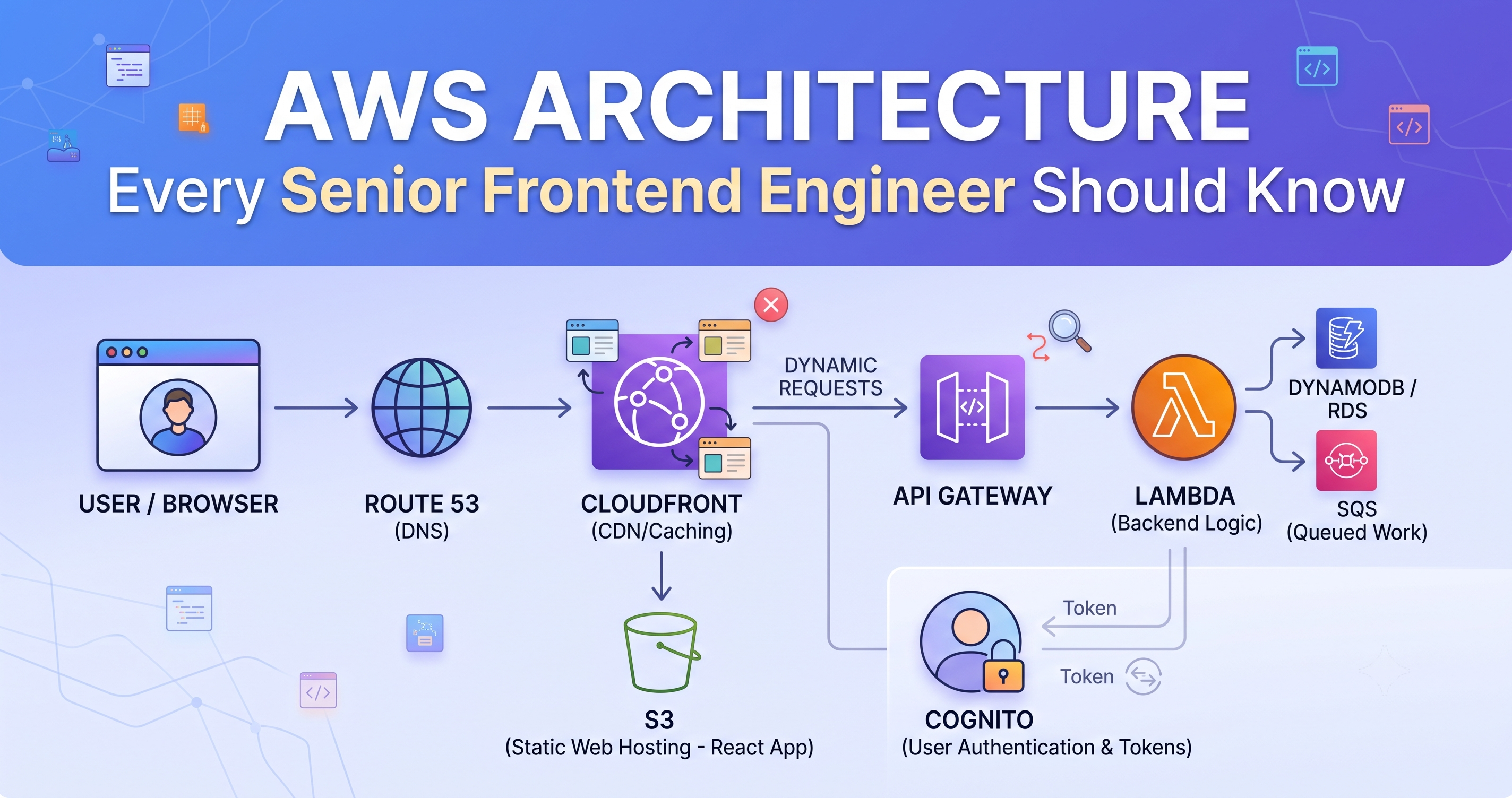
Lambda runs your function in a container that AWS creates on demand, keeps warm for a while, and throws away when traffic stops.
That is the whole model, and nearly every surprising behaviour follows from the last two clauses.
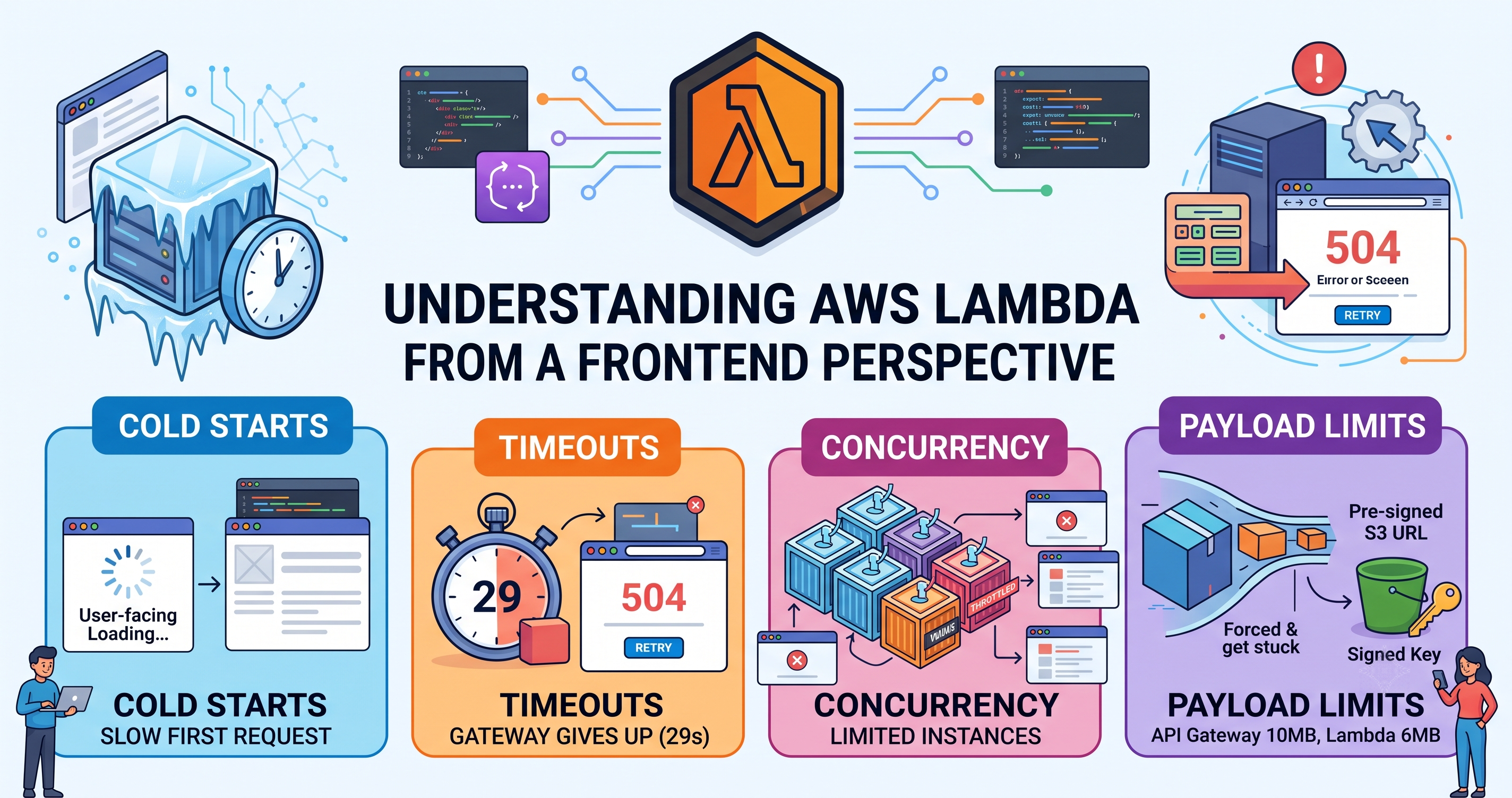
Cold starts: why the first request is slow
When a request arrives and no warm container exists, AWS has to create one: download your code, start a runtime, run everything at the top of your file, and only then call your handler. That is a cold start.
For a small Node function it is often under 200ms. It gets worse with a large dependency tree, and much worse inside a VPC.
// This runs ONCE per container — the cold start pays for it
import { DynamoDBClient } from '@aws-sdk/client-dynamodb';
const db = new DynamoDBClient({});

// This runs on EVERY request
export async function handler(event) {
  return db.send(/* ... */);
}
Two things follow for you. First, the “it was slow the first time and fine afterwards” report is real, not imagined — and it is worth teaching support to note whether it was a first attempt. Second, your loading states have to tolerate a first request that takes noticeably longer than the rest. A spinner that appears after 300ms and a skeleton that appears immediately behave very differently under a cold start.
In the function metrics, compare duration with billed duration, or look for an Init Duration line in the logs. The gap is the initialisation. If failures cluster right after a deploy — when every container is new — you are looking at cold starts, not a code change.
Concurrency: one request per container
A Lambda container handles exactly one request at a time. Ten simultaneous users means ten containers.
That scales automatically, up to a limit on your account. Past that limit, requests are throttled and the caller gets an error — and this is the part that catches frontend teams out, because the function that fails is often not the function causing the problem.
A nightly import consuming the whole concurrency pool will make your login endpoint return 500s. Nothing is wrong with login. It simply could not get a container.
The fix is a backend one — reserved concurrency for user-facing functions — but knowing this exists is why you can say “could we be hitting a concurrency limit?” instead of spending an afternoon on your own code.
Timeouts: two of them, and the smaller one wins
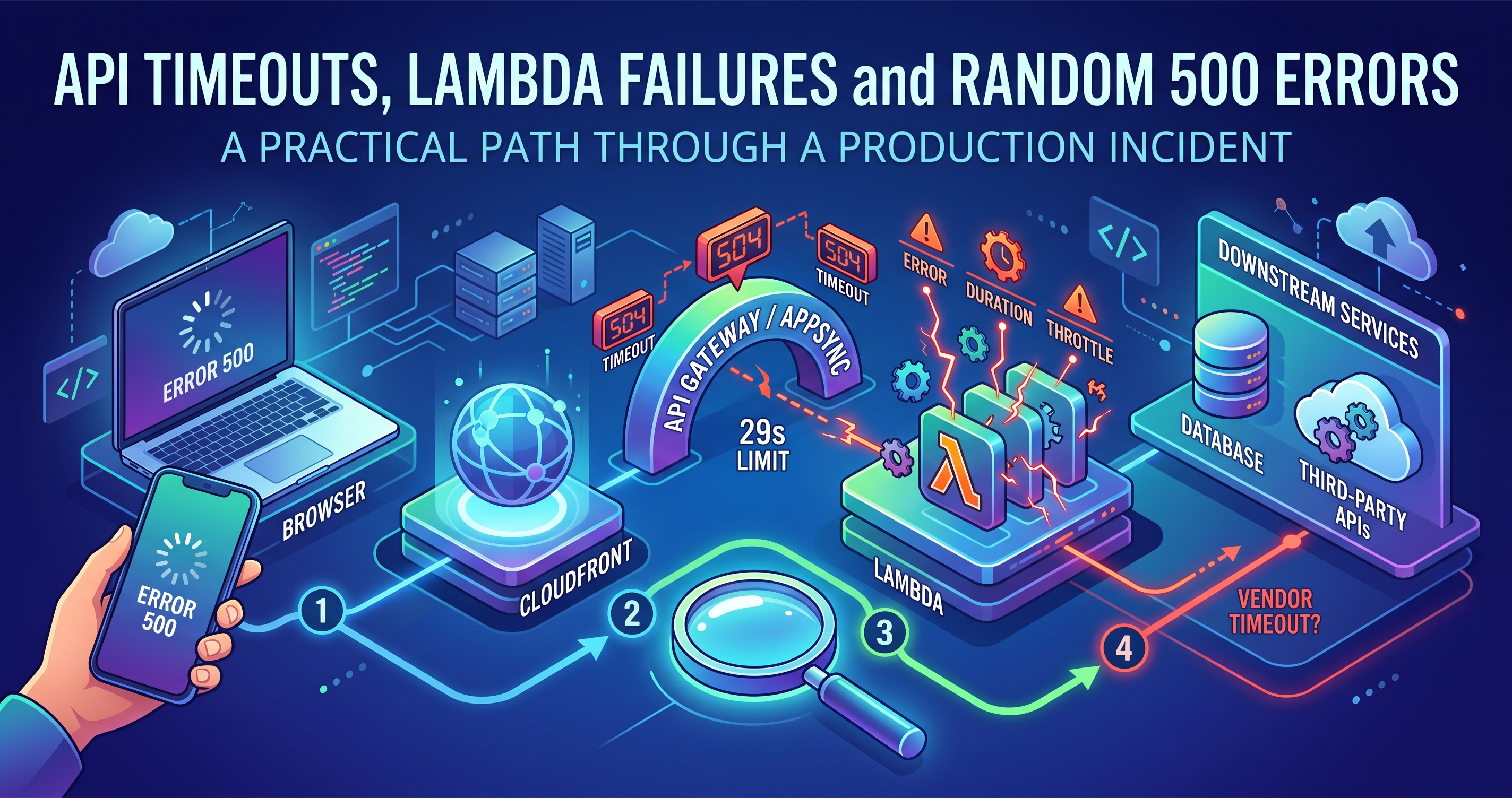
Lambda has a configurable timeout, up to 15 minutes. API Gateway has a fixed one at 29 seconds. If your function sits behind API Gateway, the 29 seconds is the real limit no matter what the function is configured for.
The nasty part is what happens at the boundary. The gateway gives up and returns a 504 to your user. Your function keeps running, keeps billing, and may well complete the work successfully — so the user sees a failure for an operation that actually happened.
If a user retries a timed-out enrolment, they may create it twice. Any operation that can time out needs to be idempotent — the client sends a key, the backend recognises a repeat. Without that, a 504 plus a retry button is a data-integrity bug wearing a friendly interface.
// Send a stable key so a retry is recognised rather than duplicated
await api.post('/enrolments', body, {
  headers: { 'Idempotency-Key': enrolmentAttemptId },  // stable across retries
});
Payload limits: the bug that only appears in production
A synchronous Lambda response is capped around 6MB, and API Gateway around 10MB for a request.
This never fails in development, because your test data is small. It fails the first time a real client exports a year of claims, or uploads a scanned document set.
The pattern that avoids it entirely: never move large files through your API. Ask the backend for a pre-signed S3 URL and have the browser talk to S3 directly.
// 1. Ask for permission to upload — tiny request
const { uploadUrl, fileKey } = await api.post('/documents/upload-url', {
  fileName: file.name,
  contentType: file.type,
});

// 2. Send the bytes straight to S3 — never touches Lambda
await fetch(uploadUrl, { method: 'PUT', body: file });

// 3. Tell the backend it landed — tiny request
await api.post('/documents', { fileKey, memberId });
Same in reverse for downloads: the API returns a signed URL, the browser follows it. Your function stays fast and small, and the 6MB ceiling stops being relevant.
Stateless, mostly
Each invocation should assume it knows nothing. Do not store anything in a module-level variable expecting it to be there next time — the container may be new, or it may be a different container entirely.
The nuance worth knowing: containers are reused, so module-level state sometimes persists. That produces genuinely confusing bugs where data from one user's request appears in another's, because someone cached something at module scope.
// DANGEROUS — this survives between requests, possibly across users
let currentTenant;

export async function handler(event) {
  currentTenant = event.headers['x-tenant'];   // leaks across invocations
}
Connections and clients are the legitimate exception — you want those reused. User or request data never is.
What this changes about the frontend you write
Design for a slow first call. Skeletons rather than late spinners, and no layout shift when data arrives.
Make retries safe. Idempotency keys on anything that creates or charges.
Do not send big things through the API. Signed URLs for upload and download.
Anything over ~20 seconds is asynchronous. Accept the job, show progress, notify on completion.
Distinguish 504 from 500 in your error handling. One means “too slow, may have worked”; the other means “it failed”. They deserve different messages.
Reading the metrics without being a backend engineer
You can usually get access to the function dashboard, and four numbers tell you most of what you need.
| Metric | What it tells you |
|---|---|
| Invocations | How much traffic this endpoint is actually getting |
| Errors | The real failure rate — often different from what support reports |
| Duration (p99) | What your slowest users experience. The average hides everything. |
| Throttles | Anything above zero means capacity, not code |
If p99 duration is approaching 29 seconds, you can predict the timeout reports before they arrive — and that is a genuinely useful thing to raise in a planning meeting.
The point
You are not being asked to write the backend. You are being asked to build an interface that behaves sensibly when the backend is cold, throttled, timing out, or returning a 504 for something that actually succeeded.
Cold starts, concurrency, timeouts and payload limits are not cloud trivia. They are the four reasons your loading states, retries and uploads look the way they do.