You do not need to be a cloud engineer. But at some point someone will say “the API is slow” in a channel where you are the most senior frontend person present, and “that is a backend thing” stops being an acceptable answer.
The useful goal is not certification. It is being able to look at a failing request and know, within a minute, roughly which box it died in — and to ask the backend team a question specific enough that they can answer it.
This is the surface I think a senior frontend engineer genuinely needs.
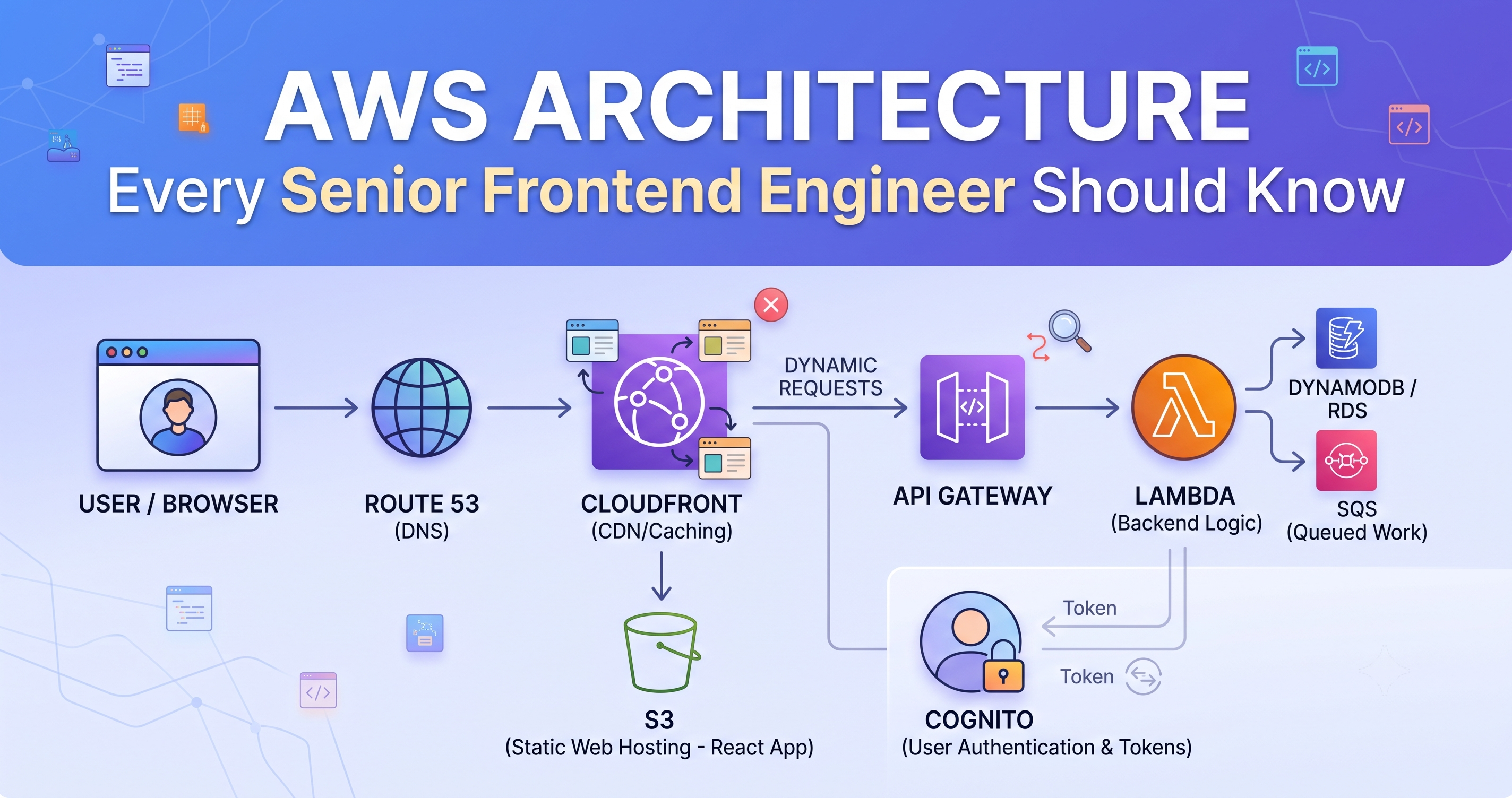
The path your request actually takes
Browser
  │
  ├─ Route 53          DNS: which IP answers for this hostname
  │
  ├─ CloudFront        CDN: caches, terminates TLS, runs edge functions
  │     ├─ S3            static files — your built React app
  │     └─ API Gateway   dynamic requests
  │           └─ Lambda  your backend code
  │                 ├─ DynamoDB / RDS
  │                 ├─ SQS        queued work
  │                 └─ third-party vendors
  │
  └─ Cognito           who the user is, and what they may do
Almost every production problem you will be pulled into lives at one of those boundaries. Knowing the shape is most of the value.
CloudFront: where your worst bugs will be
CloudFront is a CDN, but for frontend engineers the important thing is that it is a cache that sits between your users and everything you deploy — which means it can serve stale code long after you shipped.
The classic incident: you deploy, your own browser shows the new version, and a client insists nothing has changed. Both of you are right. They are being served a cached index.html that references the previous bundle.
Hashed assets cache forever. main.a3f9c2.js can have a one-year TTL, because a new build produces a new filename.
index.html must not. It is the file that points at the hashed bundles. Give it a very short TTL or no-cache.
Invalidate on deploy. At minimum /index.html. Invalidating /* every time is slow and wasteful.
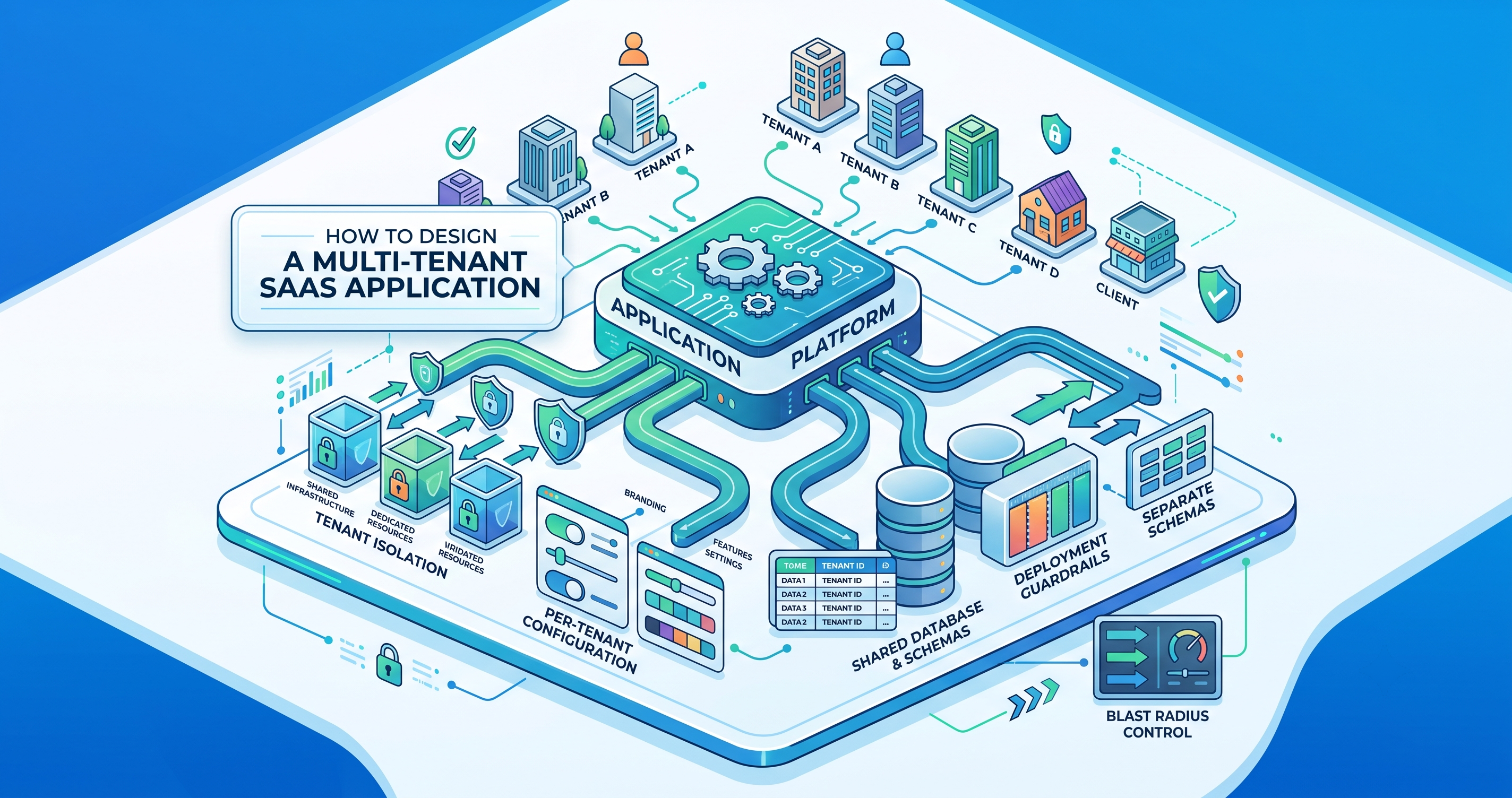
If a response varies by anything — tenant, language, authentication — that thing must be part of the cache key, or one user will eventually receive another user's cached response. In a multi-tenant product this is a data leak, not a performance bug. Be deliberate about which headers CloudFront forwards and keys on.
Edge functions are worth knowing about too. CloudFront Functions are tiny and run in about a millisecond — good for header rewrites, redirects and resolving a tenant from the hostname. Lambda@Edge is heavier but can do real work like signed-cookie authentication. If your app needs to know which brand it is before the first byte renders, this is where that decision belongs.
S3: static hosting, and the SPA routing trap
Your built application is files in a bucket. The one thing that catches people out is client-side routing.
A user navigates to /members/1234 inside your app and it works, because React Router handled it in the browser. They refresh, and S3 is asked for an object at that key, which does not exist. You get a 403 or 404 rather than your app.
The fix is a CloudFront error-response rule: map 403 and 404 to /index.html with a 200 status, and let the router take over. It is two lines of configuration and it is the single most common “works until you refresh” bug in SPA deployments.
API Gateway: the limits that become your bugs
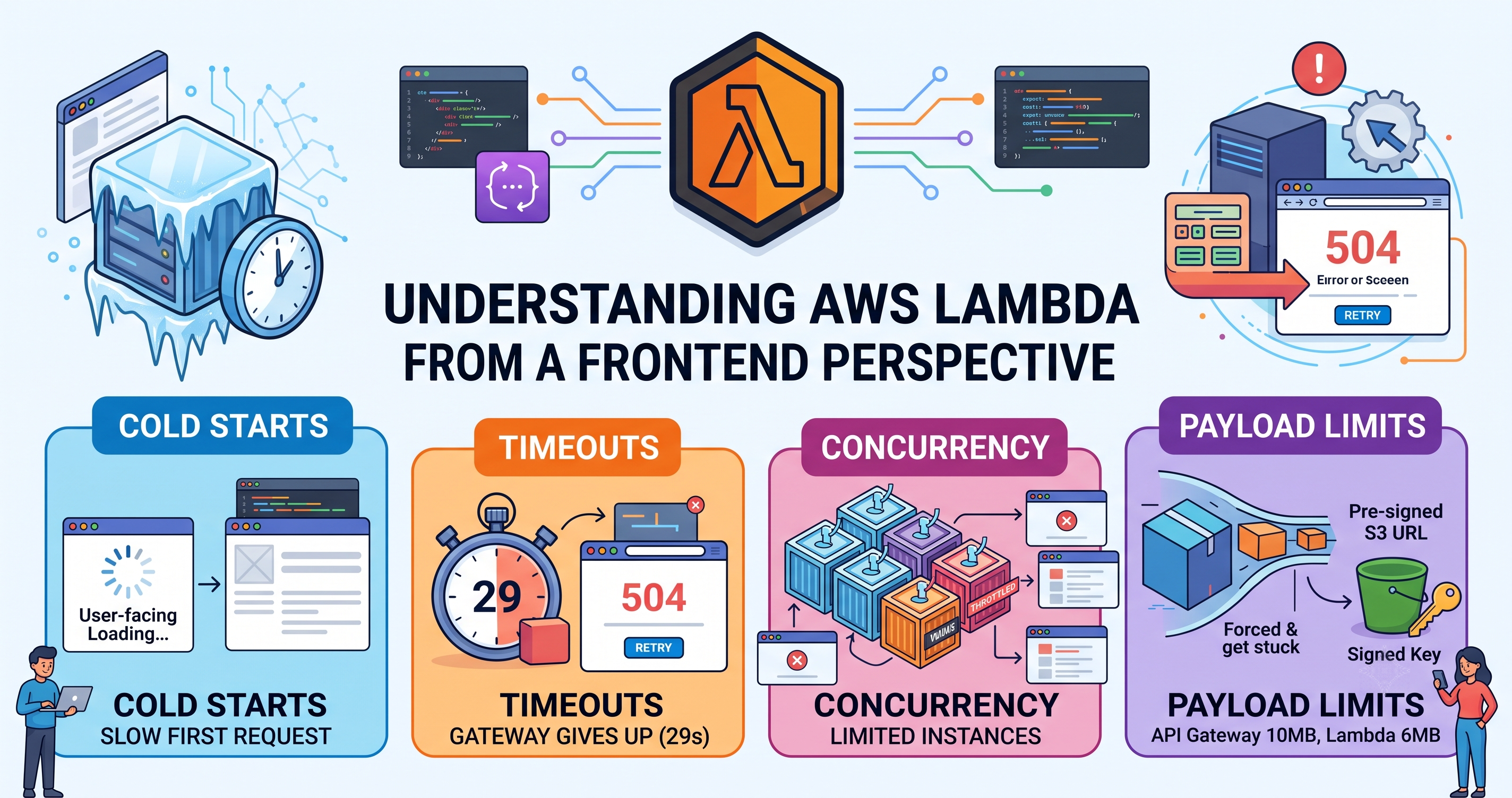
Three numbers are worth memorising, because each produces a failure that looks like something else.
| Limit | Value | How it shows up in your UI |
|---|---|---|
| Request timeout | 29 seconds | A 504 after exactly 29s, regardless of your Lambda timeout |
| Payload size | ~10 MB | Large uploads or exports fail while small ones work |
| Throttling | Account and stage limits | 429s under load, often only for your busiest client |
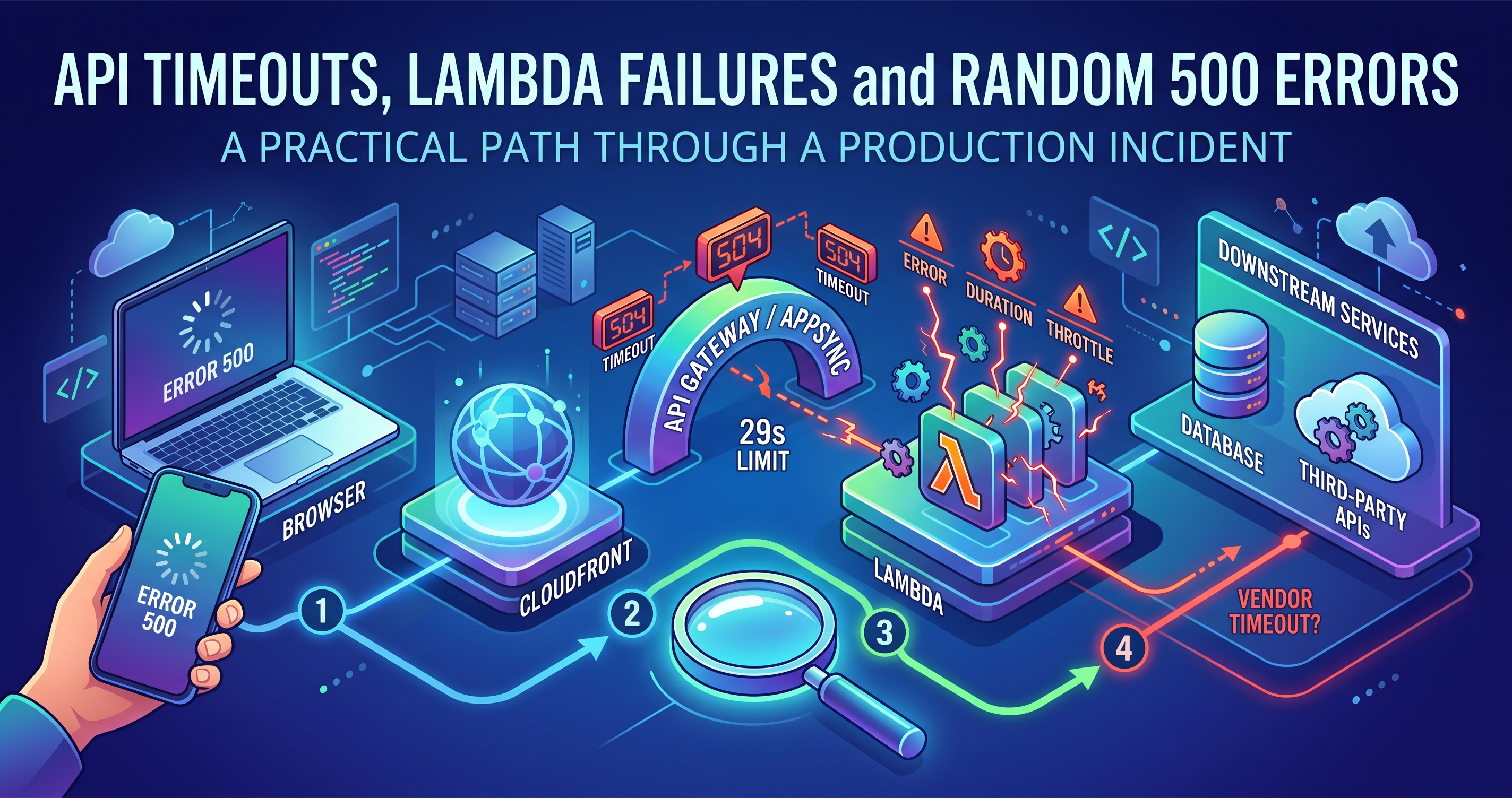
The 29-second ceiling is the one that shapes design. Anything that can legitimately take longer — generating a document set, a bulk import, a big report — cannot be a synchronous request. The pattern is: accept the job, return an ID immediately, do the work elsewhere, and let the client poll or subscribe. If you are fighting the timeout, you are building the wrong interaction.
Lambda: the four properties that reach your UI
You do not need to write Lambda functions. You do need to understand why they sometimes behave oddly.
Cold starts. The first request to an idle function pays initialisation. Usually tens to hundreds of milliseconds; considerably worse in a VPC or with a heavy dependency tree. This is why the first request after a quiet morning feels slow and the next twenty do not.
Concurrency. One container handles one request at a time. Traffic spikes create containers, up to a limit, and past that you get throttled — which surfaces as 500s on functions that are individually healthy. A batch job can starve your user-facing endpoints if nobody reserved capacity for them.
Timeouts. Configured per function, capped at 15 minutes, but irrelevant above 29 seconds if API Gateway is in front.
Response size. 6MB synchronous. Bigger than that and you return a pre-signed S3 URL instead of the payload.
Because cold starts and downstream latency are real, your loading states need to tolerate a slow first request without looking broken. A skeleton that appears instantly, an optimistic update where the operation is reversible, and a retry that does not duplicate the action — those are frontend responses to backend physics.
Cognito: tokens, and the one thing people get wrong
Cognito has two halves that are easy to conflate. User pools answer “who are you?” and issue tokens. Identity pools answer “what AWS resources may you touch?” and issue temporary credentials. Most applications only need the first.
After sign-in you hold three tokens, and using the wrong one is the most common mistake:
- ID token — who the user is. Use it to render their name and role.
- Access token — what they may do. This is what your API should validate.
- Refresh token — gets new tokens without a fresh login.
The frontend job that actually matters is refresh handling. Tokens expire, usually after an hour, and users leave tabs open. Get this wrong and you produce the classic bug: everything works until someone comes back from lunch.
// One refresh in flight, everyone else waits for it
let refreshing = null;

async function authedFetch(url, opts) {
  let res = await fetch(url, withToken(opts));
  if (res.status !== 401) return res;

  refreshing = refreshing ?? refreshTokens().finally(() => { refreshing = null; });
  await refreshing;                       // parallel 401s do not stampede
  return fetch(url, withToken(opts));     // replay once
}
Without that single-flight guard, six simultaneous 401s trigger six refreshes, five of which invalidate each other, and the user is logged out for no reason they can perceive.
SQS and asynchronous work
Worth knowing because it changes what your UI should promise. When work goes onto a queue, the response to the user is “we have accepted this”, not “this is done”. Those need different interfaces — a confirmation and a status the user can check, rather than a success state that is not yet true.
The related thing to understand is the dead-letter queue: messages that fail repeatedly end up there rather than retrying forever. When someone says “the import ran but nothing happened”, the DLQ is usually where the answer is.
What to actually look at when something breaks
Browser network tab. Status, duration, and whether the request left at all.
A 504 at ~29s means gateway timeout. Backend is slow or waiting on a vendor.
A 502 means your function crashed or returned something malformed.
CORS errors that appear suddenly without a config change are usually an unhandled exception, not CORS.
Stale UI after deploy is nearly always CloudFront caching index.html.
Works then breaks after idle time is a token expiry or a cold start.
Why this is worth your time
Not so you can do someone else's job. So that when you say “I think we are hitting the gateway timeout because the vendor call has no bound on it”, the conversation starts three steps further along.
The senior part of senior frontend is knowing where your responsibility ends and being able to describe precisely what is happening on the other side of that line.